JennAir oven Cooktop indicator flashing / Cooktop message

JennAir oven
error Cooktop indicator flashing

Oven / display referenceCooktop indicator flashing

A flashing cooktop indicator on a JennAir range means one or more controls are being held down all the time. Make sure every control is off, move anything resting on the control area and wipe the glass clean and dry. Then try the cooktop again.

Also shown as Cooktop indicator flashing

Last reviewed

Oven / display referenceCooktop indicator flashing
Meaning
A flashing cooktop indicator on a JennAir range means one or more controls are being held down all the time. Make sure every control is off, move anything resting on the control area and wipe the glass clean and dry. Then try the cooktop again.

Who handles it
Owner checks first, then a technician
Source
Indicator Flashing- Electric Range - Product Help | JennAir

What JennAir oven Cooktop indicator flashing means.

What it means

A flashing cooktop indicator on a JennAir range means one or more controls are being held down all the time. Make sure every control is off, move anything resting on the control area and wipe the glass clean and dry. Then try the cooktop again.

What you can safely check

Switch every burner and the oven off first.

When to call a technician

The indicator keeps flashing on a clean, dry cooktop.

Checks you have ticked / saved in this browser

Safe checks, in order.

0 of 4 checks done
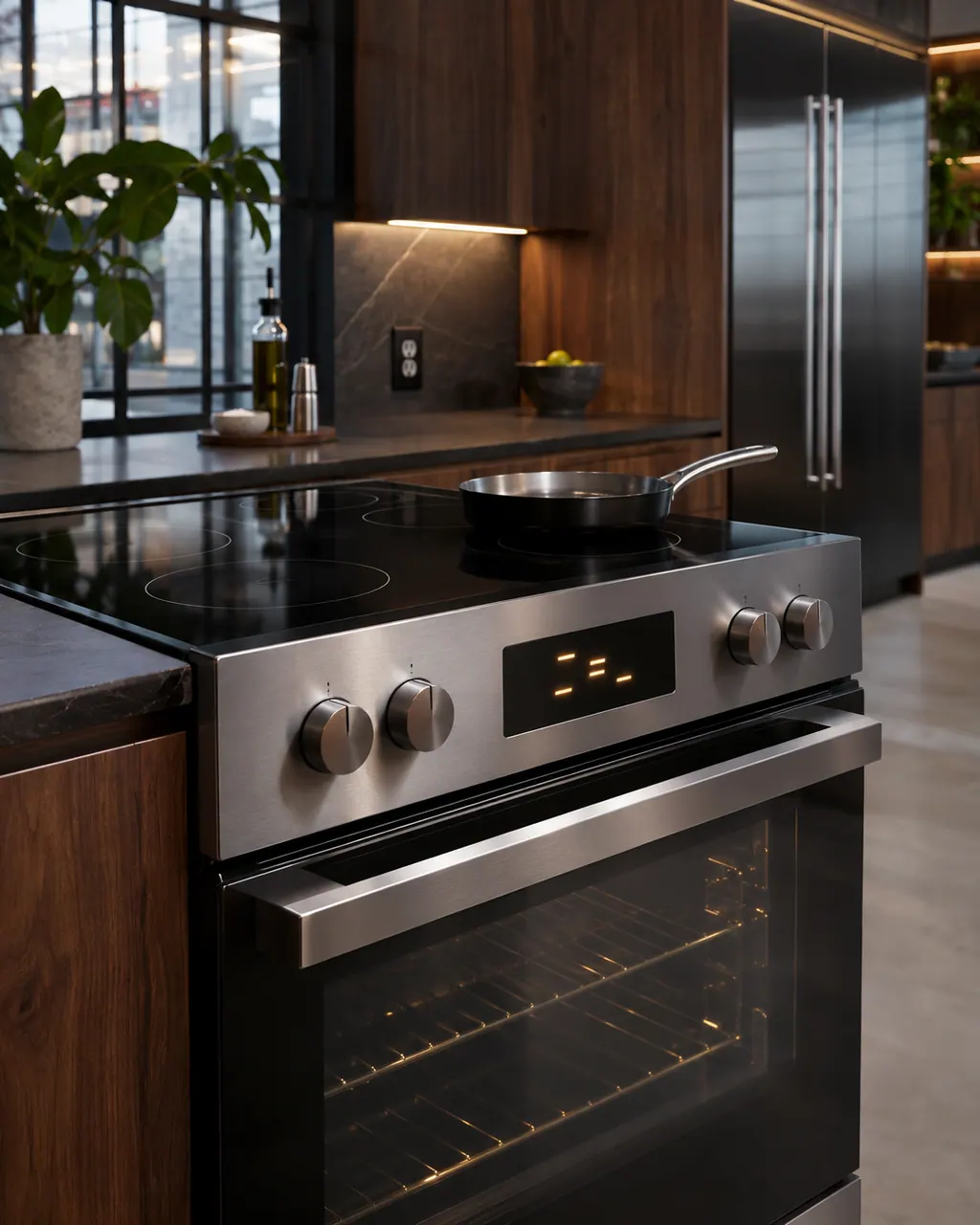
  1. JennAir oven Cooktop indicator flashing: Range with a glass cooktop and a front control panel showing a lit display between knobs, a steel pan sitting on a burner and the oven door below.
    Illustration. Follow your model’s instructions.
    Before you begin

    Turn all controls off

    Switch every burner and the oven off first. A stuck key can look like a cooking command even when you did not press anything.

  2. Ranges & ovens in a thoughtfully designed home
    Illustration. Follow your model’s instructions.
    Check 2

    Clear the control area

    Lift pots, towels, utensils or spill-catchers off the touch area. JennAir lists objects on the controls as the thing to remove.

  3. The black glass control strip of a built-in wall oven above its stainless handle
    Illustration. Follow your model’s instructions.
    Check 3

    Wipe away debris

    Clean the glass with the cooktop cool and dry, because film or moisture can mimic a held key.

  4. Over the shoulder view of a person holding a tablet with a blank checklist, a refrigerator behind.
    Illustration. Follow your model’s instructions.
    Check 4

    Test the controls one by one

    Touch each key once after cleaning and note any that react by themselves. Tell the technician which.

Still showing Cooktop indicator flashing?

Send the model and the checks you have already run, then begin your request from this page.

Book a visit

The touch panel and control.

Conceptual Range / oven sectionKeypad / touch panelControl boardElement wiring123
  1. 3Element wiring

A simplified drawing, because layouts change with the model. Tap an outlined part to see a photo and the related check.

A little more context.

What does a flashing cooktop indicator mean?

It means one or more keys are being read as pressed continuously, as if held down.

Read the supporting manual

What does the page tell me to do?

Make sure the controls are off, remove objects from the control area and clean away debris.

Read the supporting manual

How is it different from the hot light?

The hot light means a surface is warm. The flashing indicator means a key looks stuck. Do not treat them as the same.

Read the supporting manual

When does flashing need service?

If the indicator keeps flashing after the cooktop is clean, dry and clear, a touch panel problem is possible. Book a visit.

Read the supporting manual

The manual behind the message.

Manufacturer document

Indicator Flashing- Electric Range - Product Help | JennAir

JennAir Product Help (producthelp.jennair.com)

dateModified 2024-08-16; PH 12853 / PH 12853 (range)

Scope: JennAir ranges with a smoothtop cooktop. Read from JennAir Product Help PH 12853.

Here to help

Good questions.
Clear answers.

Talk to our team
Why is the cooktop indicator flashing on my JennAir range?

JennAir says it means controls are being held down all the time. Clear the area and clean the glass.

Can liquid cause the flashing?

Moisture on the touch area is a plausible trigger, so dry the glass. JennAir mentions debris, not liquid specifically.

Do I need to reset the breaker?

The page lists no breaker reset for this indicator. Clean and clear the controls first.

Is the cooktop heating while it flashes?

Do not rely on it. Switch controls off, clear the surface, and see whether the flashing stops.

Let’s take care of it.

Something on the display?
Send us the details.

