What it means
F04 names the electronic oven control, not the household supply. The first step is a sixty-second power reset at the breaker panel; call for service if it returns.
JennAir oven F04 / Oven control
F04 names the electronic oven control, not the household supply. The first step is a sixty-second power reset at the breaker panel; call for service if it returns.
Also shown as F04
F04 names the electronic oven control, not the household supply. The first step is a sixty-second power reset at the breaker panel; call for service if it returns.
If it was running, let the cavity and racks cool.
F04 comes back after the one-minute breaker reset.
Checks you have ticked / saved in this browser
If it was running, let the cavity and racks cool. The reset is done at the breaker panel, not inside the oven.

Find the oven's circuit breaker, leave it off for sixty seconds, flip it on, and keep an eye on the display for a minute.

Write down what the oven was doing: preheating, baking, idle, or just after a power flicker. A control problem can be timing-dependent.

If the oven was installed, moved or serviced lately, tell the technician. The page lists wiring next to the control, so recent connection work matters.
Send the model and the checks you have already run, then begin your request from this page.
Book a visit
A simplified drawing, because layouts change with the model. Tap an outlined part to see a photo and the related check.

Component reference
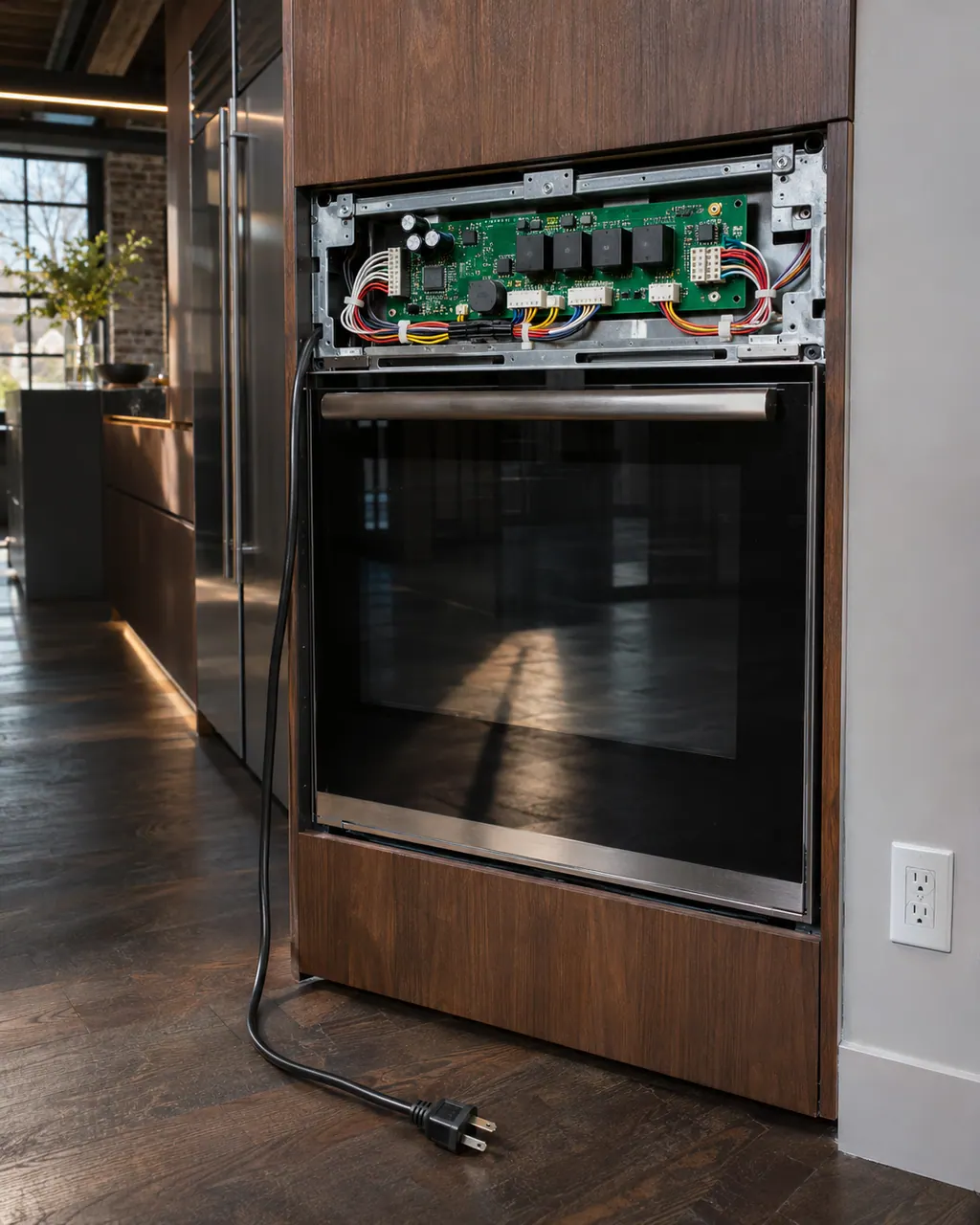
The electronic control is the board that manages the oven functions.
Read the definitionJennAir's range (PH 12935) and wall-oven (PH 13308) pages list the electronic oven control board or the wiring serving it as the possible problem. It does not say which part is responsible, and it names no repair.
Read the supporting manualLet the oven cool, then run the sixty-second power reset at the breaker panel and keep an eye on the display for a minute. Write down what the oven was doing when the code appeared, and mention any recent install or service work.
Read the supporting manualF05 follows in the table but switches to the door latch assembly and door switch. F04 stays with the control, so door checks do not apply to it.
Read the supporting manualIf the display stays clear after the reset and the oven heats and times normally, short cooking is reasonable. If the code returns, stop and call for service. A control problem is not something to cook through.
Read the supporting manualManufacturer document
JennAir Product Help (producthelp.jennair.com)
dateModified 2024-08-16; PH 12935 / PH 12935 (range)
Manufacturer document
JennAir Product Help (producthelp.jennair.com)
dateModified 2024-11-08; PH 13308 / PH 13308 (wall oven)
Applies to: freestanding range and wall oven. Source: JennAir Product Help PH 12935, PH 13308. The pages print one cause line and the reset; everything else here is our guidance.
Let the oven cool, run the sixty-second power reset at the breaker panel and keep an eye on the display for a minute.
JennAir names the oven's own control and its wiring, not your home supply. A breaker that stays on is a good sign the supply is fine.
Not by itself. The page names it as a possible problem, and a technician has to test before any part is replaced.
They are separate strings with separate Product Help pages. Read the exact characters on your display and use that code's page.
Code or symptom, part, service call
F05 names the latch assembly and the switch on the door, or the wiring to them. The first step is a sixty-second power reset at the breaker panel; call for service if it returns.
JennAir says not to judge oven temperature with a thermometer, because the elements cycle and most thermometers react too slowly. Check preheat time, racks, pan spacing and foil first, then run the biscuit test before any calibration.
The electronic control is the board that manages the oven functions. JennAir names it in F1 E1, F3 and F4 codes, and as the shared suspect in many sensor and keypad codes. The help pages give one owner step, a one-minute power-down, and do not name a repair.
Schedule a diagnostic for your model, carried out at the appliance.
Office details, plus the access notes to pass along.