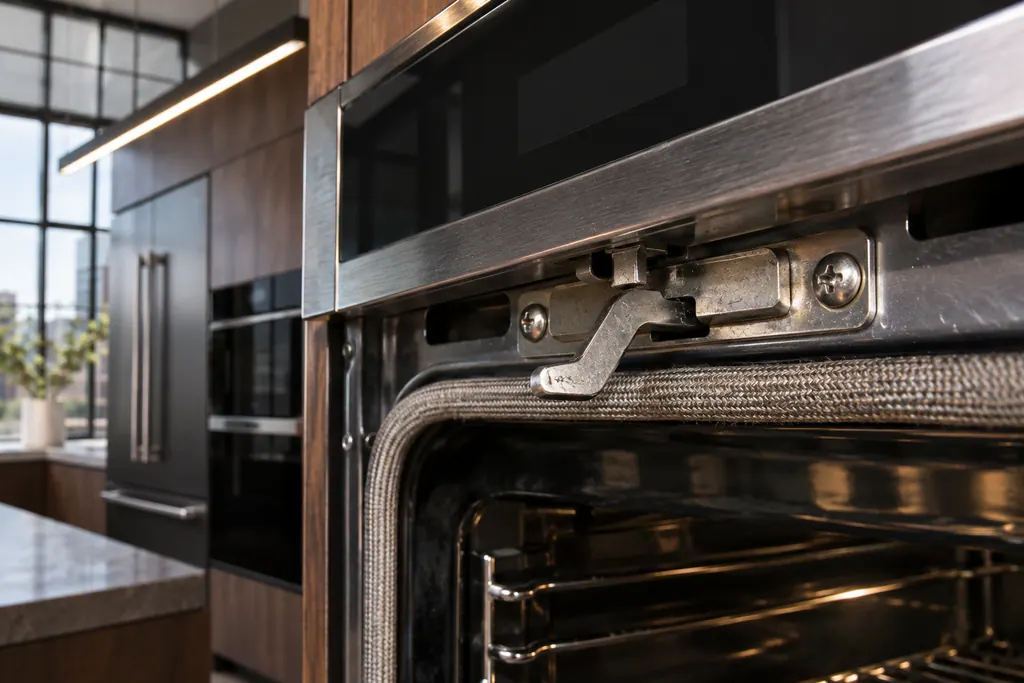
JennAir oven F5 / Door latch and switch

JennAir oven
error F5

Oven / display reference

F5 points at the door latch assembly or its switches on a JennAir freestanding range or wall oven, and at nothing in particular on a steam oven, where the page is only a reset. Close the door fully, then drop the breaker for a single minute and restore it.

Also shown as F5

Last reviewed

Oven / display reference
Meaning
F5 points at the door latch assembly or its switches on a JennAir freestanding range or wall oven, and at nothing in particular on a steam oven, where the page is only a reset. Close the door fully, then drop the breaker for a single minute and restore it.
Who handles it
Reset, then book
Related codes
Source
F5 - Error Code - Range - Product Help | JennAir

What JennAir oven F5 means.

What it means

F5 points at the door latch assembly or its switches on a JennAir freestanding range or wall oven, and at nothing in particular on a steam oven, where the page is only a reset. Close the door fully, then drop the breaker for a single minute and restore it.

What you can safely check

A latch is working hard during cleaning.

When to call a technician

F5 returns after the breaker reset or the door will not latch.

Checks you have ticked / saved in this browser

Safe checks, in order.

0 of 4 checks done
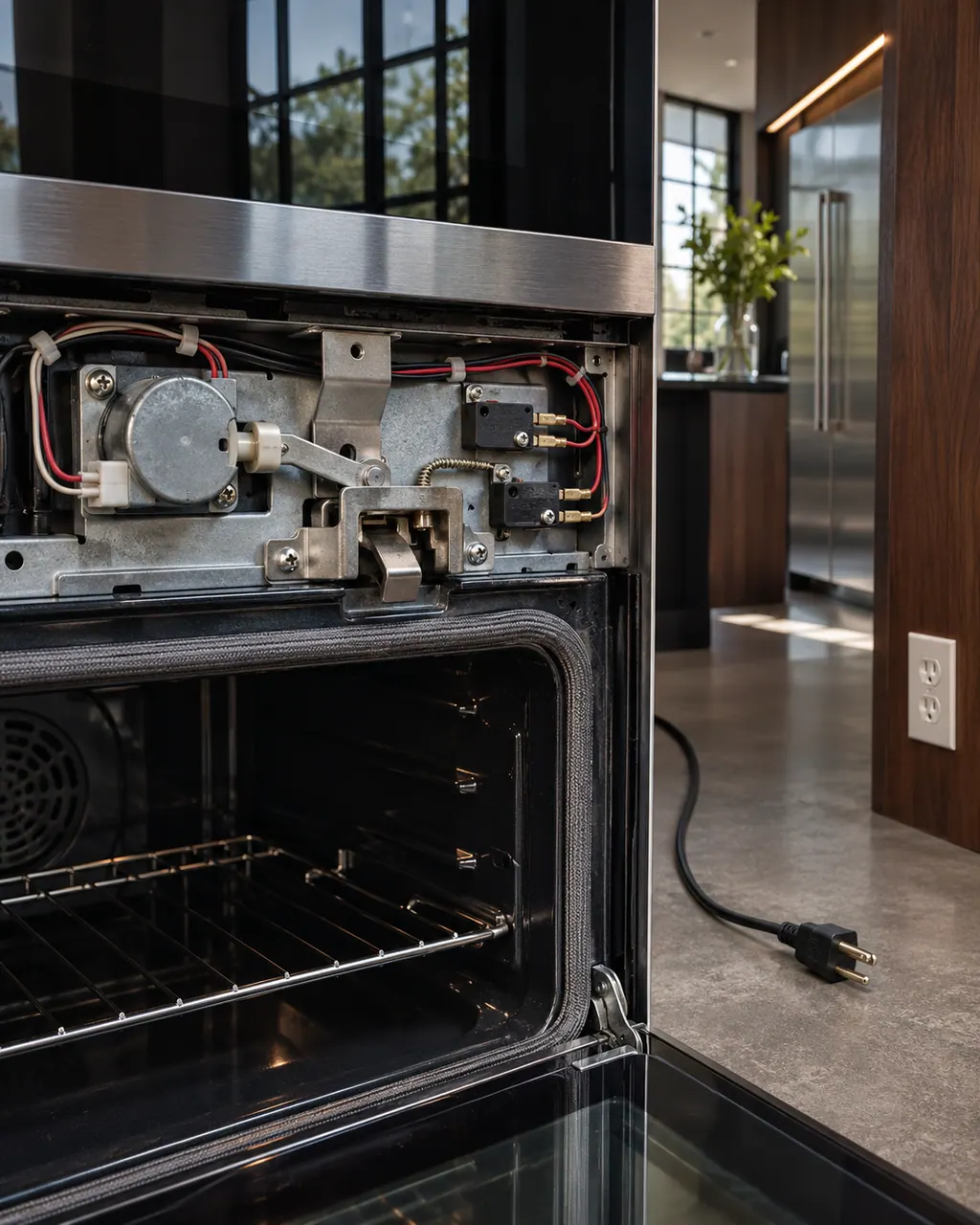
  1. JennAir oven F5: Close view above an open wall oven cavity showing the door latch hook, lock motor and two small switches with wiring, plug lying unplugged on the floor
    Illustration. Follow your model’s instructions.
    Before you begin

    Make sure no self-clean is running

    A latch is working hard during cleaning. Let the oven cool completely before you touch the door.

  2. Ranges & ovens in a thoughtfully designed home
    Illustration. Follow your model’s instructions.
    Check 2

    Shut the door firmly and check for obstructions

    A dish towel, a rack edge or a loose gasket can hold the door off its latch.

  3. The black glass control strip of a built-in wall oven above its stainless handle
    Illustration. Follow your model’s instructions.
    Check 3

    Cut the breaker for sixty seconds, restore, watch

    Do this once. Repeating it adds nothing.

  4. Over the shoulder view of a person holding a tablet with a blank checklist, a refrigerator behind.
    Illustration. Follow your model’s instructions.
    Check 4

    Start a cycle after the reset on a steam oven

    The steam page says to start a cycle once power returns, then watch for the code.

Still showing F5?

Send the model and the checks you have already run, then begin your request from this page.

Book a visit

The door lock.

Conceptual Range / oven sectionDoorLock motor / latchControl123
  1. 1Door

A simplified drawing, because layouts change with the model. Tap an outlined part to see a photo and the related check.

Parts behind the message.

Close view of a metal oven door latch arm above the open cavity, the woven gasket below.

Component reference

Oven door latch assembly

The latch assembly and its door switch lock the oven door for self-clean and report that the door is closed.

Read the definition

A little more context.

What does the F5 latch assembly do?

On built-in ovens the latch locks the door for high-heat cleaning and tells the control whether the door is shut. The switches feed that status to the board.

Read the supporting manual

Which products print bare F5?

Freestanding ranges, wall ovens and steam ovens each have a page. The first two name the latch assembly and its switches; the steam page lists a reset only.

Read the supporting manual

How does F5 relate to F5 E0 through F5 E7?

Those pages add an E digit and, on pro ranges, a door-installation check. Plain F5 carries no such pointer, so look at the whole display.

Read the supporting manual

Is the oven safe to use?

A latch that cannot confirm the door may refuse to run a clean cycle. For normal baking, if the oven starts and the door closes, many owners continue. A repeat code means a visit.

Read the supporting manual

The manual behind the message.

Manufacturer document

F5 - Error Code - Range - Product Help | JennAir

JennAir Product Help (producthelp.jennair.com)

dateModified 2024-08-16; PH 12973 / PH 12973 (range)

Manufacturer document

F5 - Wall Oven - Product Help | JennAir

JennAir Product Help (producthelp.jennair.com)

dateModified 2024-11-08; PH 13357 / PH 13357 (wall oven)

Manufacturer document

F5 - Wall Oven - Product Help | JennAir

JennAir Product Help (producthelp.jennair.com)

dateModified 2024-11-08; PH 13441 / PH 13441 (steam oven)

PH 12973, 13357, 13441: F5, range/wall-oven/steam-oven.

Here to help

Good questions.
Clear answers.

Talk to our team
Can F5 stop a bake?

It can stop a cycle that depends on the door state. If baking continues, the code may only affect cleaning.

Is F5 the same as F9-1?

No. F9-1 is a range code that also names the door latch, but it has its own record.

What does the steam oven page say?

Only to reset power for one minute and start a cycle.

Should I remove the door?

No. Door removal is a technician task on a built-in.

Let’s take care of it.

Something on the display?
Send us the details.