JennAir oven Descale is needed / Steam oven message

JennAir oven
error Descale is needed

Oven / display referenceDescale is needed

Descale is needed on a JennAir steam oven means it is time to clean and descale it. From the Maintenance menu choose Descaling and follow the on-screen steps. The page lists 34 oz of water mixed with 8.5 oz of descaler or white vinegar, and the cycle must run to the end.

Also shown as Descale is needed

Last reviewed

Oven / display referenceDescale is needed
Meaning
Descale is needed on a JennAir steam oven means it is time to clean and descale it. From the Maintenance menu choose Descaling and follow the on-screen steps. The page lists 34 oz of water mixed with 8.5 oz of descaler or white vinegar, and the cycle must run to the end.

Who handles it
Information only
Source
Descale is needed - Wall Oven - Product Help | JennAir

What JennAir oven Descale is needed means.

What it means

Descale is needed on a JennAir steam oven means it is time to clean and descale it. From the Maintenance menu choose Descaling and follow the on-screen steps. The page lists 34 oz of water mixed with 8.5 oz of descaler or white vinegar, and the cycle must run to the end.

What you can safely check

The oven must be empty before you start.

When to call a technician

The message returns right after a full descaling cycle.

Checks you have ticked / saved in this browser

Safe checks, in order.

0 of 4 checks done
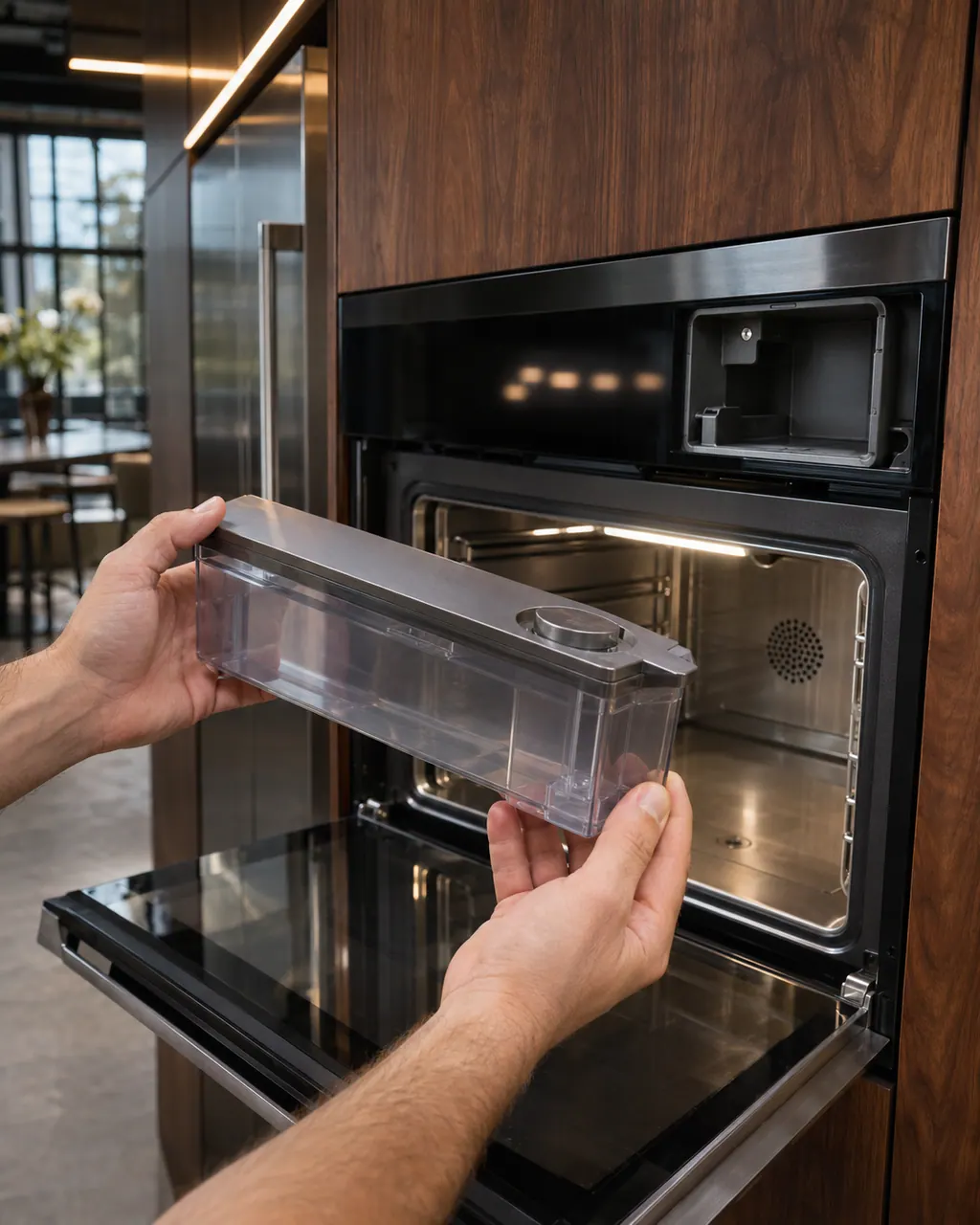
  1. JennAir oven Descale is needed: Two hands holding a clear water reservoir removed from a steam wall oven, with the empty reservoir bay above the dry stainless cavity.
    Illustration. Follow your model’s instructions.
    Before you begin

    Empty the oven and let it cool

    The oven must be empty before you start. Remove racks you do not need and make sure nothing is hot.

  2. Ranges & ovens in a thoughtfully designed home
    Illustration. Follow your model’s instructions.
    Check 2

    Open Maintenance and choose Descaling

    Press ON/HOME, scroll to Maintenance, press OK, scroll to Descaling and press OK.

  3. The black glass control strip of a built-in wall oven above its stainless handle
    Illustration. Follow your model’s instructions.
    Check 3

    Mix the descaling solution

    Mix 34 oz of water with 8.5 oz of descaler or white vinegar in the water container and slide it back in.

  4. Over the shoulder view of a person holding a tablet with a blank checklist, a refrigerator behind.
    Illustration. Follow your model’s instructions.
    Check 4

    Let the cycle finish

    Do not interrupt it. At the end empty the container, return it, close the door and press OK.

Still showing Descale is needed?

Send the model and the checks you have already run, then begin your request from this page.

Book a visit

Bake and broil heat.

Conceptual Range / oven sectionBake element / burnerBroil elementGas igniterControl1234

A simplified drawing, because layouts change with the model. Tap an outlined part to see a photo and the related check.

A little more context.

What does the descaling cycle involve?

You select Maintenance, then Descaling, mix water with descaler or white vinegar and follow the screen.

Read the supporting manual

What happens at the end?

The display shows a message asking you to remove and empty the container. Empty it, return it, and press OK.

Read the supporting manual

Can I ignore the message?

Short term you can still cook, but scale builds up. We recommend doing it at a convenient time.

Read the supporting manual

The manual behind the message.

Manufacturer document

Descale is needed - Wall Oven - Product Help | JennAir

JennAir Product Help (producthelp.jennair.com)

dateModified 2024-11-08; PH 13434 / PH 13434 (steam oven)

Scope: JennAir steam wall oven only. Read from JennAir Product Help PH 13434.

Here to help

Good questions.
Clear answers.

Talk to our team
How much descaler do I need?

The page lists 8.5 oz of descaler or white vinegar mixed with 34 oz of water.

Can I stop the cycle partway?

No. The page says once it has begun it must be completed.

Does the message mean something is broken?

No. It is a routine reminder tied to water use.

What if the message returns right after descaling?

Book a visit and mention the descaler used. The page does not cover this case.

Let’s take care of it.

Something on the display?
Send us the details.