What it means
Plain F4 is printed for wall ovens only: JennAir points at the oven cavity control or the wiring that serves it. Power the oven down at its breaker for about a minute, bring it back, and see whether F4 stays away for the next minute.
JennAir oven F4 / Oven control
Plain F4 is printed for wall ovens only: JennAir points at the oven cavity control or the wiring that serves it. Power the oven down at its breaker for about a minute, bring it back, and see whether F4 stays away for the next minute.
Also shown as F4
Plain F4 is printed for wall ovens only: JennAir points at the oven cavity control or the wiring that serves it. Power the oven down at its breaker for about a minute, bring it back, and see whether F4 stays away for the next minute.
Do not reset in the middle of a long roast; take stock of the food first.
F4 returns within minutes of the reset.
Checks you have ticked / saved in this browser
Do not reset in the middle of a long roast; take stock of the food first.

Use the circuit that feeds the wall oven, then restore it and watch the display.

If the display shows F4 and an E digit, you are on one of the microwave-part pages, not this one.

A freestanding range prints F04 instead, which is a separate record.
Send the model and the checks you have already run, then begin your request from this page.
Book a visit
A simplified drawing, because layouts change with the model. Tap an outlined part to see a photo and the related check.

Component reference
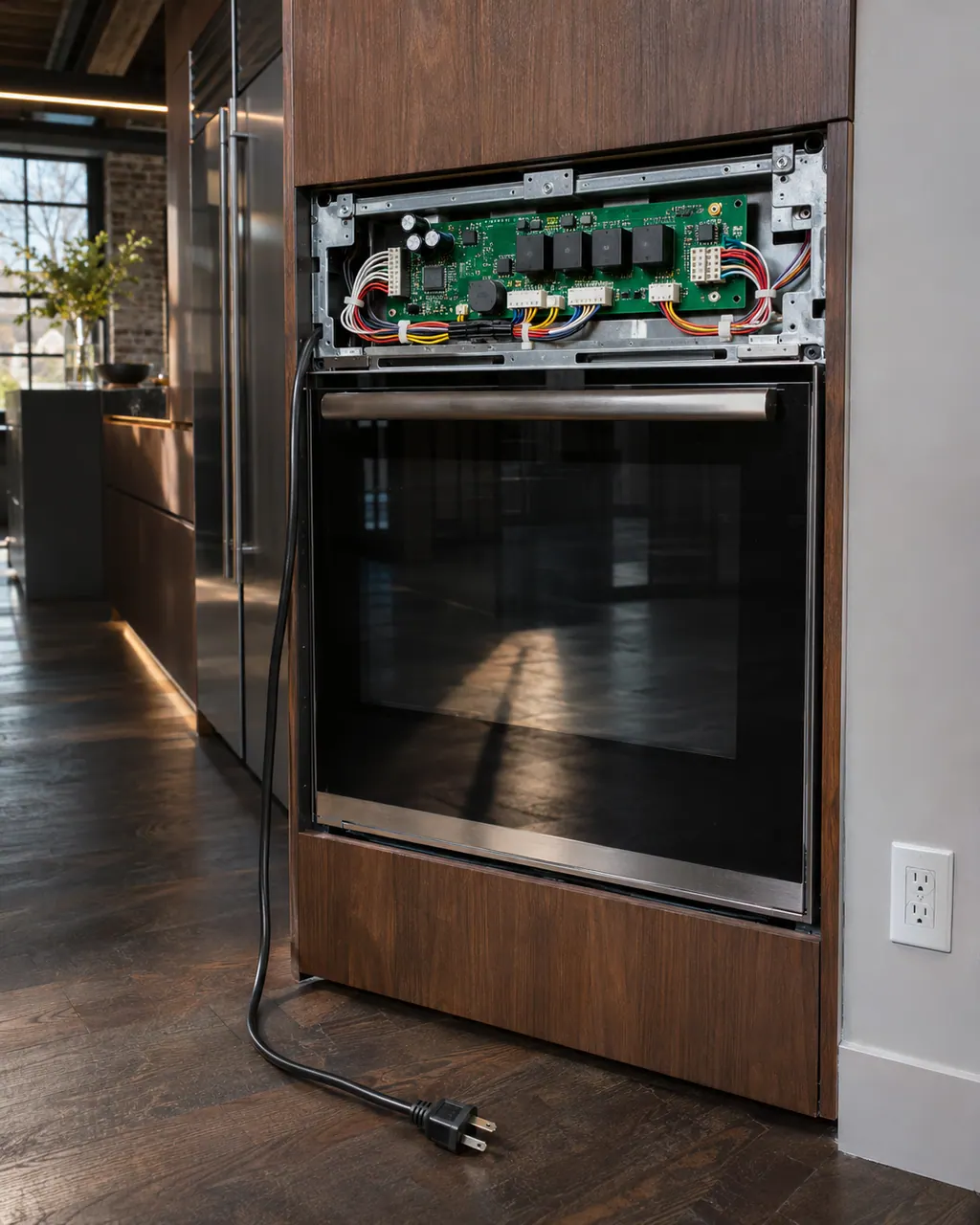
The electronic control is the board that manages the oven functions.
Read the definitionOnly in the wall oven tree, as a single page that names the oven cavity control or its wiring. A freestanding range never prints a plain F4; it uses F04.
Read the supporting manualIt is the board that runs one oven cavity: it reads temperature and switches heat. On a combination wall oven there are separate controls for the oven and the microwave side, which is why F4 and F4 E0 to E9 are different pages.
Read the supporting manualF4 E0 to E9 name microwave parts, such as the inverter or a humidity sensor. Bare F4 is about the oven cavity itself. Check your display for a trailing E number before choosing a page.
Read the supporting manualJennAir wants you to verify the oven works for a minute after power returns. If a bake starts and holds temperature, the event may have been a one-off.
Read the supporting manualManufacturer document
JennAir Product Help (producthelp.jennair.com)
dateModified 2024-11-08; PH 13345 / PH 13345 (wall oven)
PH 13345: F4, wall-oven.
No. A JennAir freestanding range prints F04, which has its own page. F4 appears only in the wall oven list.
The page names the oven cavity control. Microwave issues appear as F4 E-codes with specific microwave parts.
The page does not say. Try it only if the display allows it, and stop if anything misbehaves.
No. Wall oven controls sit behind trim and are wired to the supply. That job needs a technician.
Code or symptom, part, service call
F4 E0 on a JennAir wall oven names the microwave inverter or its wiring. Turn off the oven's breaker for about a minute, restore power, and see if the microwave side runs without the code returning.
JennAir says not to judge oven temperature with a thermometer, because the elements cycle and most thermometers react too slowly. Check preheat time, racks, pan spacing and foil first, then run the biscuit test before any calibration.
The electronic control is the board that manages the oven functions. JennAir names it in F1 E1, F3 and F4 codes, and as the shared suspect in many sensor and keypad codes. The help pages give one owner step, a one-minute power-down, and do not name a repair.
Schedule a diagnostic for your model, carried out at the appliance.
Office details, plus the access notes to pass along.