JennAir oven Reading error codes by LED (F#E#) / Professional-style range light

JennAir oven
error Reading error codes by LED (F#E#)

Oven / display referenceReading error codes by LED (F#E#)

A JennAir professional-style range shows codes by lights. When the Wi-Fi LED and the Remote LED flash, an F#E# code is present: the Wi-Fi LED is the F part, the Remote LED is the E part, and the Mode knob's eight LEDs flash once per unit. JennAir's example: F5E3 is five flashes, then three.

Also shown as Reading error codes by LED (F#E#)

Last reviewed

Oven / display referenceReading error codes by LED (F#E#)
Meaning
A JennAir professional-style range shows codes by lights. When the Wi-Fi LED and the Remote LED flash, an F#E# code is present: the Wi-Fi LED is the F part, the Remote LED is the E part, and the Mode knob's eight LEDs flash once per unit. JennAir's example: F5E3 is five flashes, then three.

Who handles it
Owner checks first, then a technician
Source
White Blinking Lights- Commercial Range - Product Help | JennAir

What JennAir oven Reading error codes by LED (F#E#) means.

What it means

A JennAir professional-style range shows codes by lights. When the Wi-Fi LED and the Remote LED flash, an F#E# code is present: the Wi-Fi LED is the F part, the Remote LED is the E part, and the Mode knob's eight LEDs flash once per unit. JennAir's example: F5E3 is five flashes, then three.

What you can safely check

Wi-Fi lit is the F stage; Remote lit is the E stage.

When to call a technician

The pattern repeats and you cannot match it to a code.

Checks you have ticked / saved in this browser

Safe checks, in order.

0 of 4 checks done
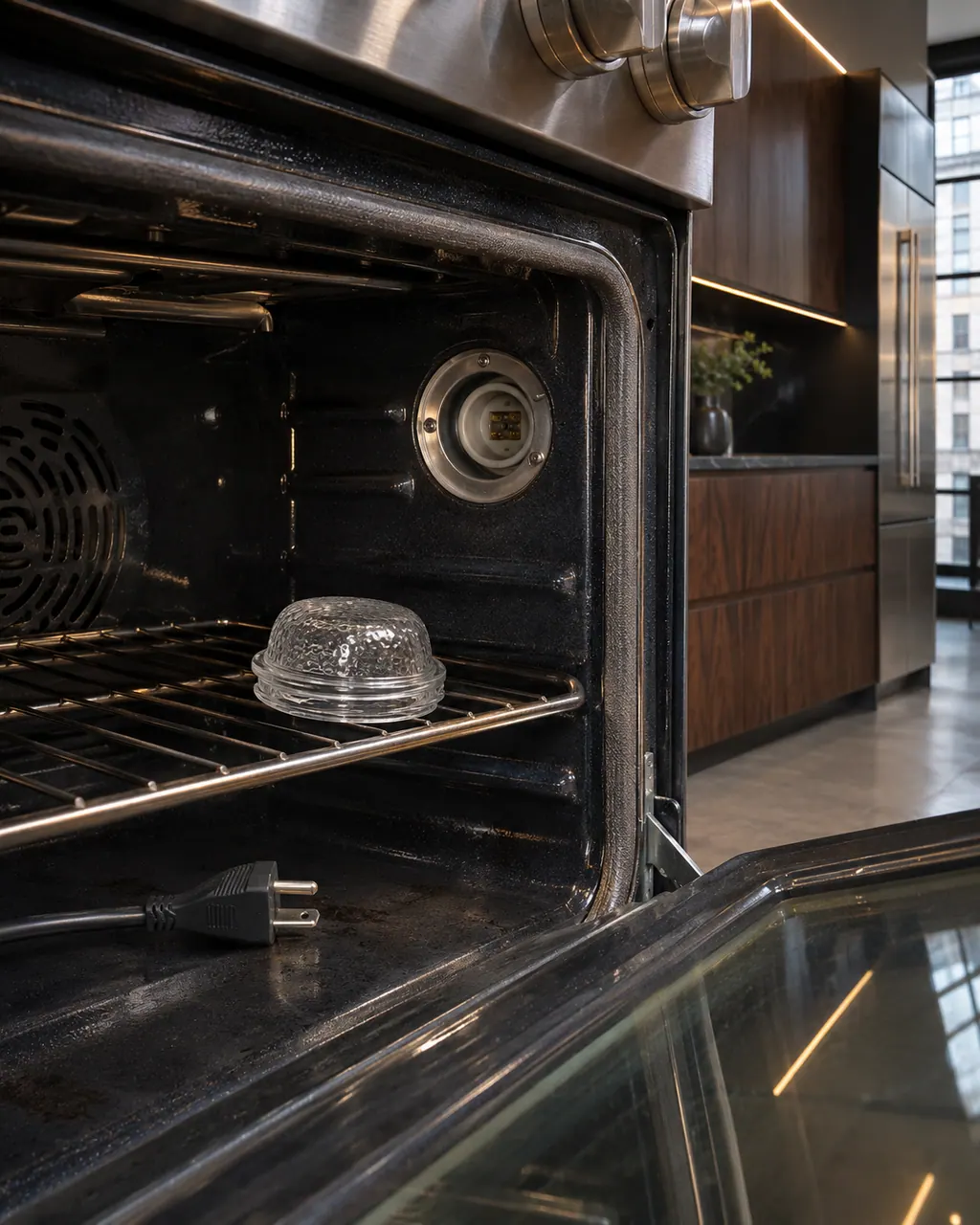
  1. JennAir oven Reading error codes by LED (F#E#): Inside a range oven the lamp cover sits on the rack beside an empty lamp socket, with an unplugged power cord lying on the oven floor.
    Illustration. Follow your model’s instructions.
    Before you begin

    Notice which indicator is lit

    Wi-Fi lit is the F stage; Remote lit is the E stage.

  2. Ranges & ovens in a thoughtfully designed home
    Illustration. Follow your model’s instructions.
    Check 2

    Count the Mode knob flashes during each stage

    Count carefully; write each digit down.

  3. The black glass control strip of a built-in wall oven above its stainless handle
    Illustration. Follow your model’s instructions.
    Check 3

    Combine into F#E#

    For example five then three is F5E3.

  4. Over the shoulder view of a person holding a tablet with a blank checklist, a refrigerator behind.
    Illustration. Follow your model’s instructions.
    Check 4

    Look it up by product type

    Use the oven table and choose the pro-range entry.

Still showing Reading error codes by LED (F#E#)?

Send the model and the checks you have already run, then begin your request from this page.

Book a visit

The touch panel and control.

Conceptual Range / oven sectionKeypad / touch panelControl boardElement wiring123
  1. 3Element wiring

A simplified drawing, because layouts change with the model. Tap an outlined part to see a photo and the related check.

A little more context.

How does the LED reading work?

Both the Wi-Fi LED and the Remote LED flash to signal that a code exists. Then the Mode LEDs flash for the F digit while the Wi-Fi LED is lit, and again for the E digit while the Remote LED is lit.

Read the supporting manual

Why use lights instead of a display?

A professional-style range uses knobs and indicators rather than a text display, so codes are blinked out.

Read the supporting manual

What if I miscount?

Wait for the pattern to repeat and count again. Different pages share similar digits, so a wrong count points to the wrong page.

Read the supporting manual

What do I do after reading it?

Look up the code. Most pro-range pages ask for the knob to OFF or a power cycle.

Read the supporting manual

The manual behind the message.

Manufacturer document

White Blinking Lights- Commercial Range - Product Help | JennAir

JennAir Product Help (producthelp.jennair.com)

dateModified 2025-10-01; PH 14140 / PH 14140 (professional-style range)

PH 14140: READING-ERROR-CODES-BY-LED-F-E, pro-range.

Here to help

Good questions.
Clear answers.

Talk to our team
Is a flashing Wi-Fi LED a network problem?

Not when it flashes together with the Remote LED.

Can I get F and E mixed up?

The lit indicator tells you which is which.

Is every flashing pattern a code?

No. See the amber and blinking-white pages.

What if no digits match a page?

Tell a technician what you counted.

Let’s take care of it.

Something on the display?
Send us the details.

