What it means
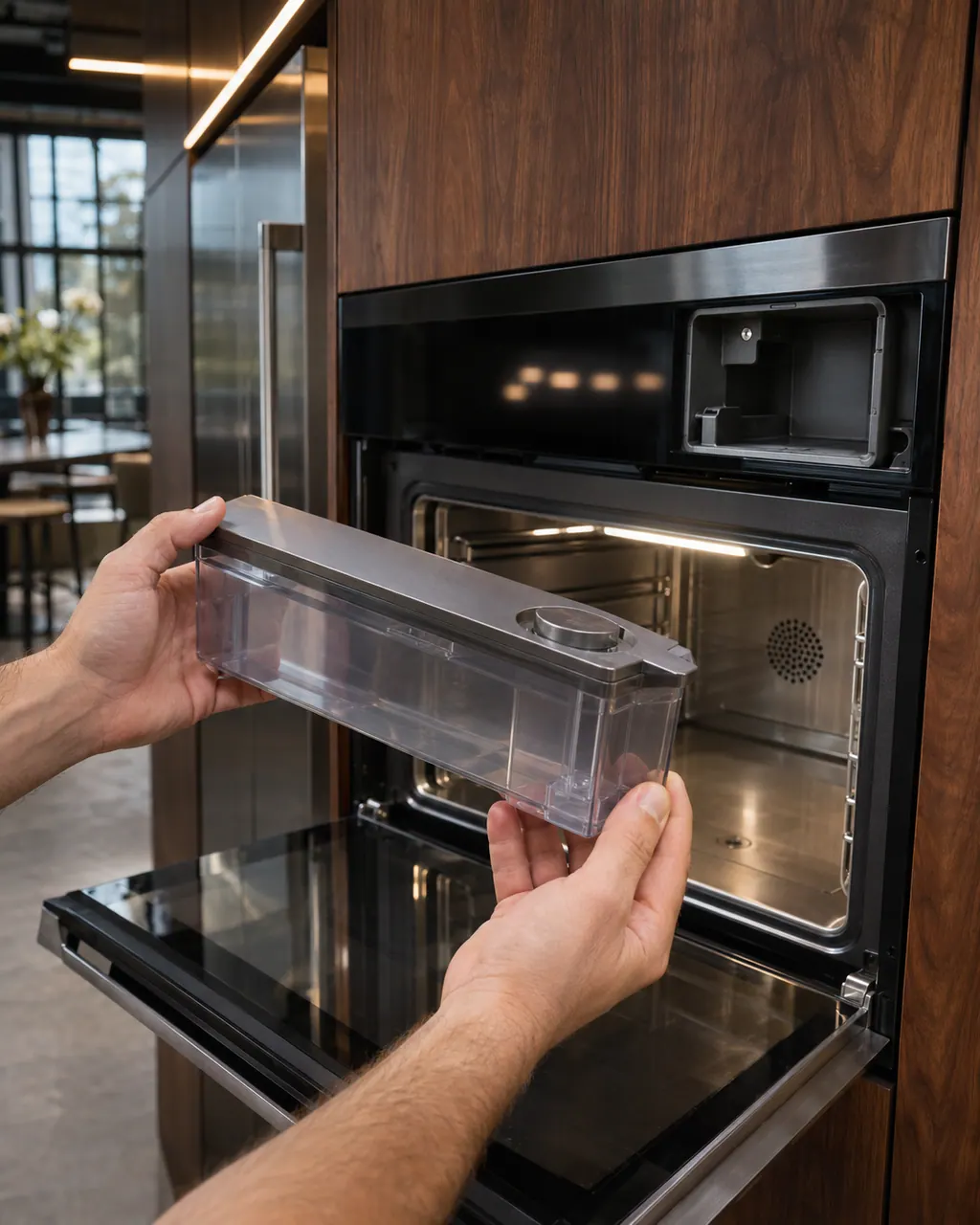
Please Remove and Empty Container appears on a JennAir steam wall oven at the end of the Drain cycle. Empty the water container, put it back in its compartment and press OK.
JennAir oven Please Remove and Empty Container / Steam oven message
Please Remove and Empty Container appears on a JennAir steam wall oven at the end of the Drain cycle. Empty the water container, put it back in its compartment and press OK.
Also shown as Please Remove and Empty Container
Please Remove and Empty Container appears on a JennAir steam wall oven at the end of the Drain cycle. Empty the water container, put it back in its compartment and press OK.
Water and steam parts are hot after a drain.
The message returns after emptying and seating the container.
Checks you have ticked / saved in this browser
Water and steam parts are hot after a drain.

Hold it level; it holds water.

Rinse if your manual says to.

It must sit fully in its compartment.
Send the model and the checks you have already run, then begin your request from this page.
Book a visit

A simplified drawing, because layouts change with the model. Tap an outlined part to see a photo and the related check.
The Drain cycle finished and the oven is asking you to empty the water it collected.
Read the supporting manualNo. It is a normal step after draining a steam oven.
Read the supporting manualJennAir does not say. Standing water is best emptied promptly.
Read the supporting manualIf the message returns straight after OK, or the container will not seat.
Read the supporting manualManufacturer document
JennAir Product Help (producthelp.jennair.com)
dateModified 2024-11-08; PH 13436 / PH 13436 (steam oven)
PH 13436: PLEASE-REMOVE-AND-EMPTY-CONTAINER, steam-oven.
At the end of each Drain cycle.
Make sure it clicks fully into its compartment.
No, only steam ovens.
It confirms you emptied the container.
Code or symptom, part, service call
JennAir says not to judge oven temperature with a thermometer, because the elements cycle and most thermometers react too slowly. Check preheat time, racks, pan spacing and foil first, then run the biscuit test before any calibration.
Schedule a diagnostic for your model, carried out at the appliance.
Office details, plus the access notes to pass along.